case study
AI Voice Receptionist
A voice agent that turns calls into scored, structured leads
Small businesses miss calls, and the calls they do take often end up as loose notes. I built a receptionist that talks to callers, collects their details, scores the lead and decides when a person should call back, and that runs end to end for free in demo mode.
- Type
- Personal project (demo, not a production deployment)
- Stack
- LiveKit Agents, FastAPI, SQLite, Next.js
- Models
- OpenAI, a local Ollama model, or a rule-based fallback
The problem
Gyms, clinics, salons and agencies lose leads when nobody picks up, and paid per-minute voice services are expensive for a small team to try. I wanted something a business could test without any paid service, with a clear upgrade path to real-time voice.
How it works
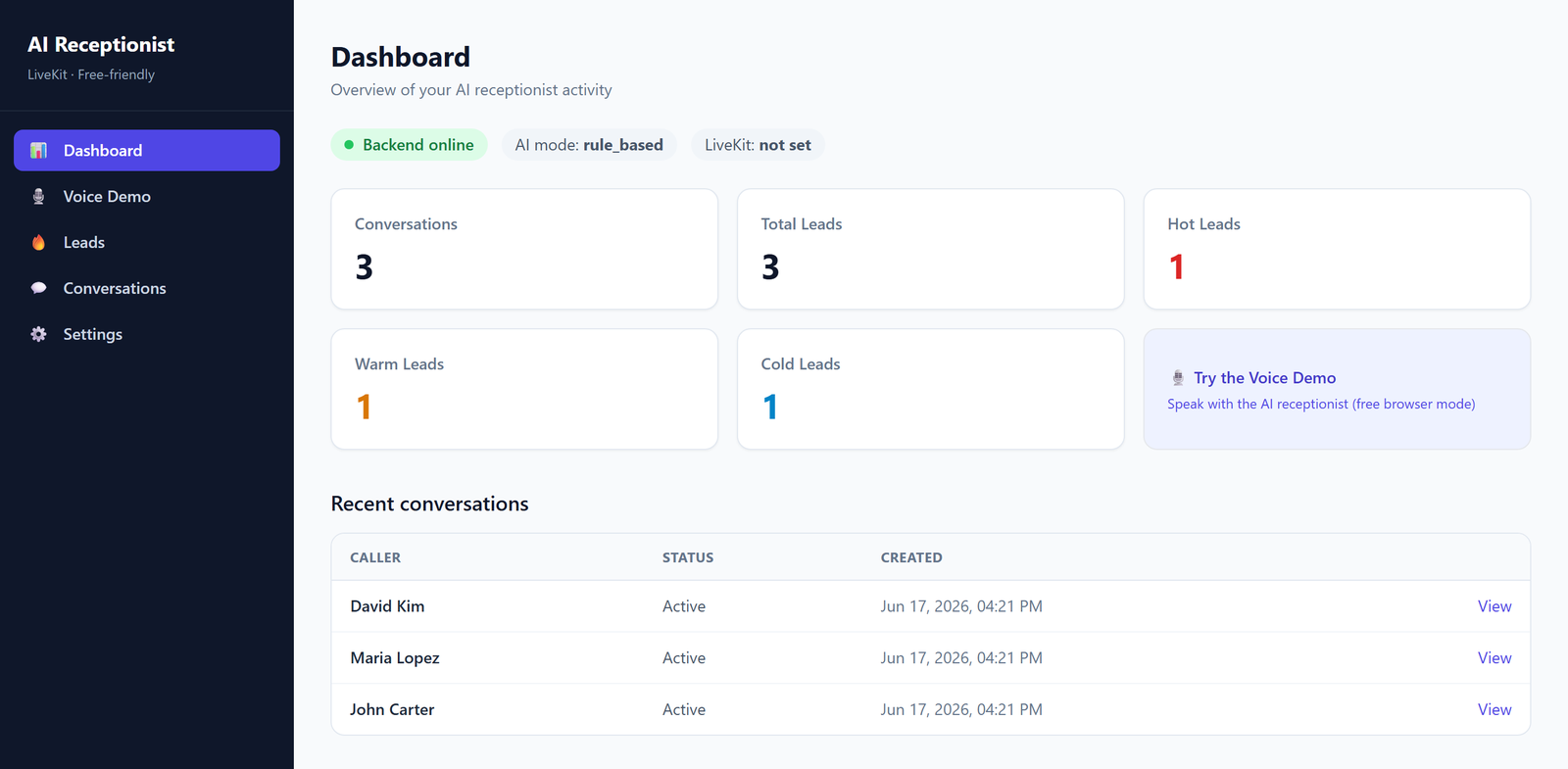
There are two ways to talk to it. The free browser demo uses the Web Speech API for speech in and out. LiveKit mode connects the caller to a Python agent in a LiveKit room for real-time speech. Either way, the conversation goes to a FastAPI backend.
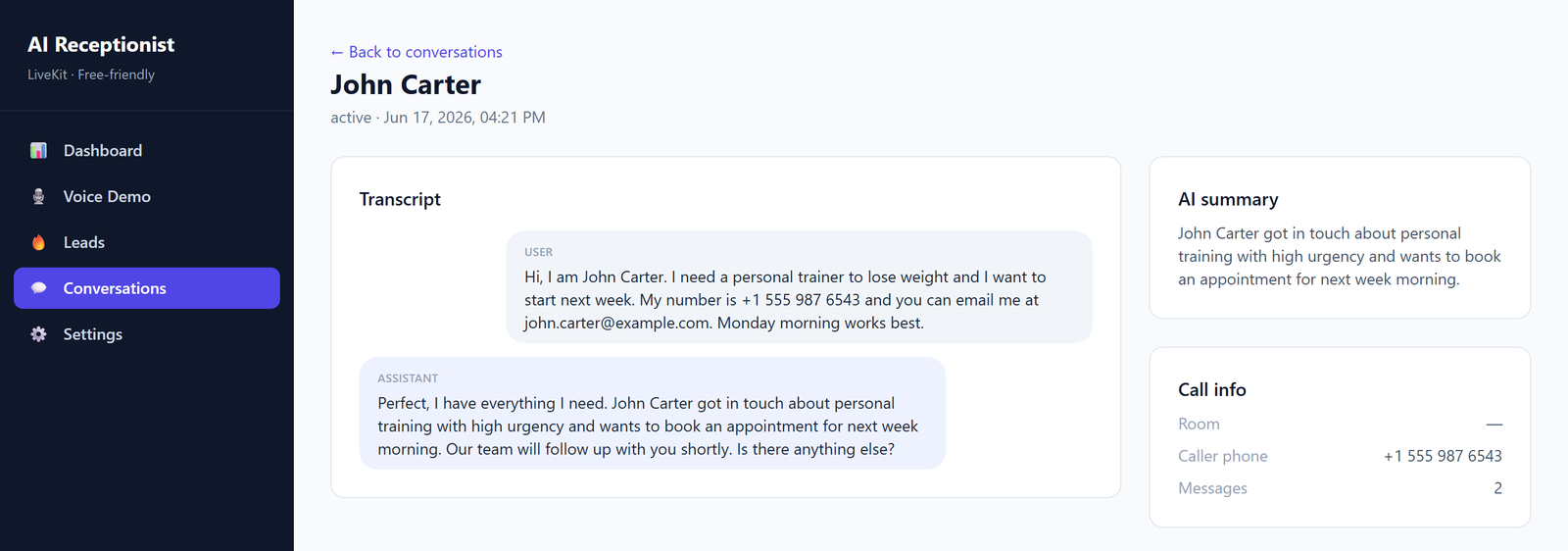
The agent asks one question at a time and collects the caller's name, phone, the service they need, urgency, budget and preferred time. It then scores the lead (cold, warm or hot), decides whether a person should take over, writes a summary and a recommended next action, and stores everything in SQLite. A Next.js dashboard shows conversations, transcripts, leads and simple analytics.
Key decisions
- Three interchangeable language backends. OpenAI, a local Ollama model or a rule-based analyser sit behind the same interface, and the rule-based one means the whole flow works with no API keys at all.
- One question at a time, so each answer fills one field of the lead record and the transcript stays easy to read back.
- Structured output over free text. Every call ends as a lead record with a score, a summary and a next action, so a person can act on it in seconds.
How I tested it
A pytest suite covers the API: conversation analysis, leads, conversations, health checks and LiveKit token issuing. For manual testing there is a sample conversation and an analyse endpoint, so the scoring can be checked without speaking at all.
Limitations and next steps
- The browser demo relies on the browser's speech recognition, which works best in Chrome and Edge.
- It has been run as a demo, not with real customer calls, so I have no data yet on lead quality or handoff accuracy in practice.
- Next: connect a phone number through LiveKit SIP and measure scoring accuracy on a labelled set of real conversations.